
Download ABBYY FineReader PDF – OCR, PDF Editing, Convert & Secure
Overview
ABBYY® FineReader PDF for Mac® is a premium OCR‑driven PDF solution built specifically for macOS. It goes beyond the typical “PDF to Word” converter by offering a full‑featured environment where you can scan, edit, convert, and secure documents—all from a single, Mac‑centric interface. The application leverages ABBYY’s industry‑leading optical character recognition engine to transform paper, images, and even complex scripts (such as Gothic or Fractur) into searchable, editable PDFs or export formats like Microsoft Word, Excel, PowerPoint, and plain text.
What makes FineReader stand out is its deep integration with Apple’s ecosystem: it respects Dark Mode, works seamlessly with Continuity Camera, and adopts the native macOS look and feel, which reduces the learning curve for both power users and occasional editors. In practice, this means you can pick up a physical contract, scan it with your iPhone, let FineReader automatically recognize the text, and then edit or annotate the PDF on your Mac without ever leaving the Apple workflow. The software also complies with archival standards such as PDF/A and accessibility guidelines (PDF/UA), ensuring that your documents remain future‑proof and accessible to all users.
Whether you’re a legal professional needing precise document preservation, a researcher handling multilingual sources, or a small business owner looking to replace a handful of separate tools, ABBYY FineReader PDF consolidates the required capabilities into a single, secure, and continuously updated app.
Key Features
- Advanced OCR Engine – Recognizes over 200 languages, including complex scripts, with up to 99.9% accuracy.
- PDF Editing Suite – Add, delete, or rearrange pages; annotate, comment, and apply digital signatures.
- Multi‑Format Export – Convert PDFs to Word, Excel, PowerPoint, HTML, and searchable PDF/A.
- Secure Document Handling – Password protection, redaction, and digital rights management.
- Mac‑Native Integration – Supports Dark Mode, Continuity Camera, Touch Bar, and Apple Script.
- Batch Processing – Automate conversion of multiple files or scanned images in one go.
- Cloud Connectivity – Direct save to iCloud, Dropbox, Google Drive, and OneDrive.
- Accessibility Compliance – PDF/UA support ensures documents are readable by assistive technologies.
- Document Comparison – Highlight differences between two PDF versions, ideal for contract reviews.
- Built‑in PDF/A Validation – Guarantees long‑term archival quality and legal compliance.
Installation, Usage & Compatibility
Getting Started
Downloading ABBYY FineReader PDF is straightforward. Visit the official ABBYY website, click the Download for macOS button, and the installer package (.dmg) will begin downloading. After the download completes, double‑click the .dmg file, drag the FineReader icon into your Applications folder, and launch the app. The first run triggers a brief activation wizard where you can either enter a purchased license key or start a 30‑day free trial. The trial version offers full feature access, allowing you to evaluate OCR accuracy, batch conversion speed, and the editing toolkit before committing to a purchase.
Everyday Workflow
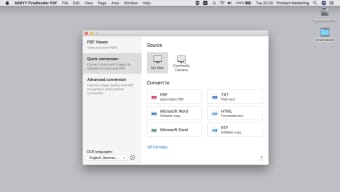
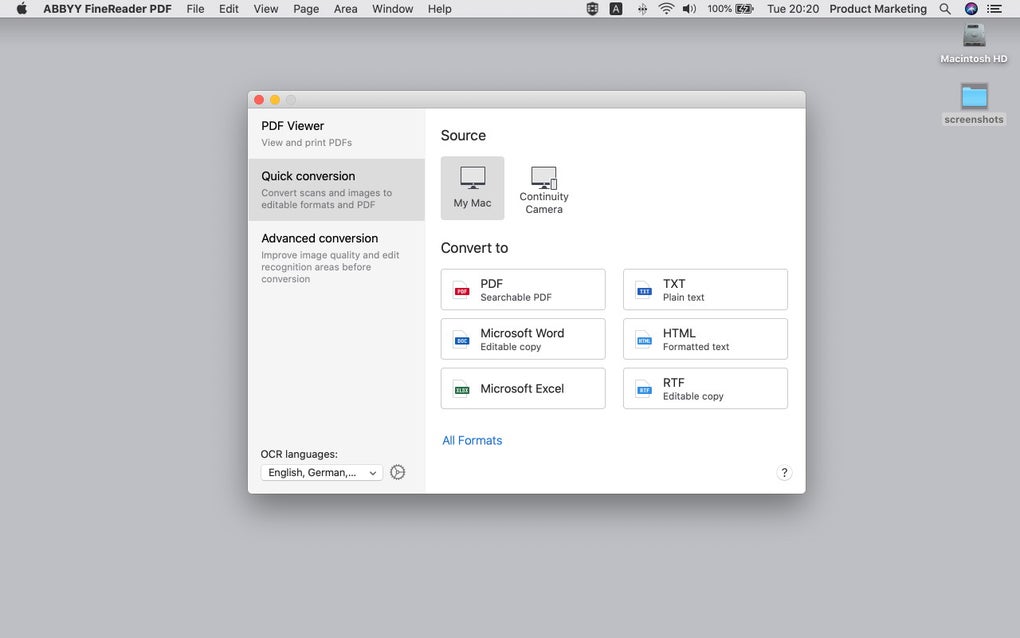
Once installed, the main window presents a clean toolbar with three primary tabs: Scan & OCR, Edit PDF, and Convert & Export. To digitize a paper document, select the Scan tab, choose your source (built‑in Mac scanner, external device, or iPhone via Continuity Camera), and click Start Scan. FineReader automatically detects page orientation, applies deskew, and launches the OCR engine. After the scan finishes, the recognized text becomes searchable, and you can immediately add annotations, fillable form fields, or redact sensitive information.
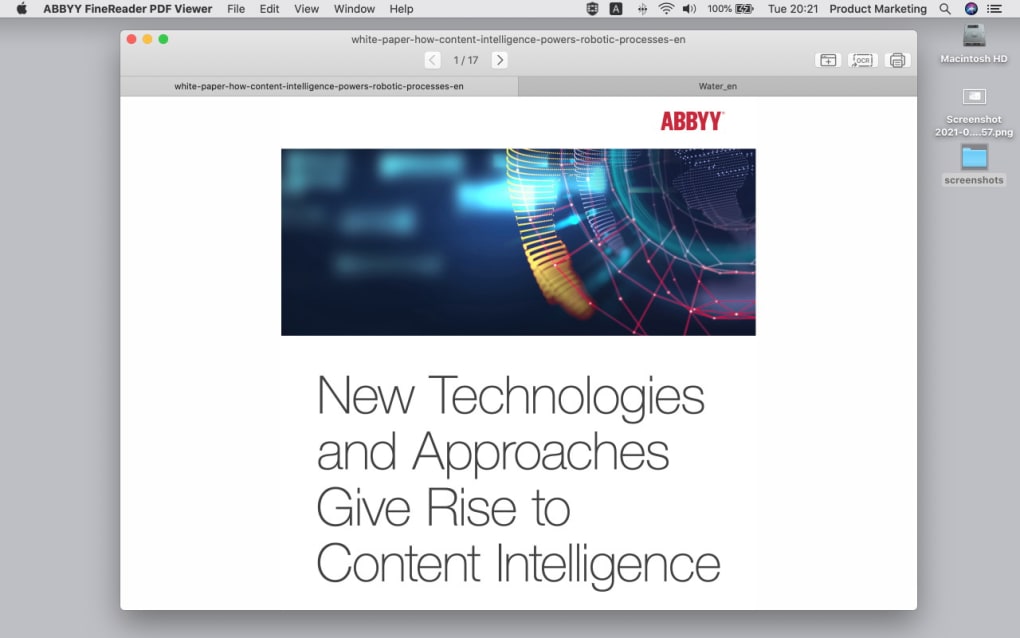
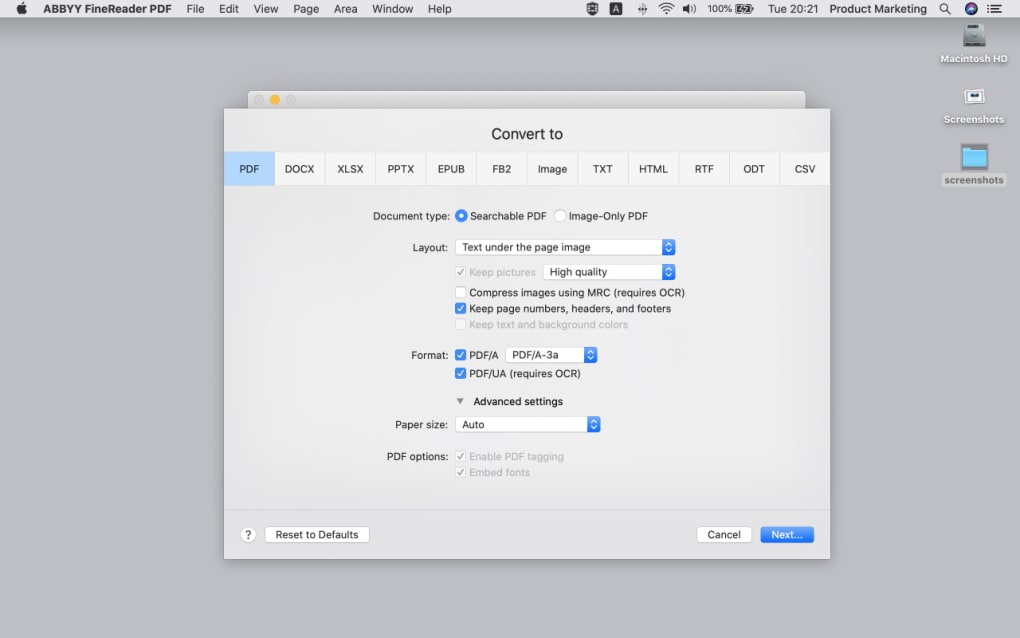
For existing PDFs, the Edit tab offers page manipulation tools, text editing directly on the page, and a robust set of annotation options (highlights, comments, stamps). When you need to share a document in another format, the Convert tab lets you select the target (e.g., Microsoft Word) and specify export settings such as layout retention or plain text extraction. Batch conversion is accessible via the File → Batch Process menu, where you can queue dozens of files, apply a single OCR language, and output to a chosen folder.
System Requirements
macOS Compatibility – FineReader PDF requires macOS 12 Monterey or later. It runs natively on Apple Silicon (M1, M2) and Intel‑based Macs, automatically selecting the optimal architecture during installation. Minimum hardware recommendations include 4 GB RAM (8 GB recommended) and 1 GB of free disk space for temporary files and the OCR engine.
Because the software is built with Apple’s security framework, it requests permission to access your Documents folder, Camera (for Continuity scans), and the Files and Folders you select for export. These permissions are managed through the standard macOS privacy settings, ensuring a secure, sandboxed environment.
Pros and Cons
What Users Love
- Industry‑leading OCR accuracy across more than 200 languages.
- All‑in‑one solution eliminates the need for multiple PDF utilities.
- Seamless macOS integration—Dark Mode, Touch Bar, and Continuity support.
- Robust security features: password protection, redaction, and PDF/A compliance.
- Efficient batch processing saves time on large document sets.
- Regular updates keep the OCR engine and UI current with macOS releases.
Areas for Improvement
- Higher price point compared to basic PDF converters.
- Initial learning curve for advanced features like document comparison.
- No native Windows version included in this Mac‑specific bundle.
- Limited cloud‑only workflow; still requires local installation.
- Export to some niche formats (e.g., LaTeX) is not supported.
Review Summary: ABBYY FineReader PDF delivers a comprehensive, Mac‑first experience that merges powerful OCR with a polished editing suite. While the price may be a barrier for casual users, the accuracy, security, and workflow integration justify the investment for professionals who handle large volumes of documents daily.
Frequently Asked Questions
Can I use ABBYY FineReader PDF on a Windows PC?
This specific product is built for macOS only. ABBYY offers a separate Windows version called “ABBYY FineReader PDF for Windows” that provides similar OCR and PDF editing capabilities.
How accurate is the OCR for multilingual documents?
The OCR engine supports more than 200 languages, including complex scripts like Cyrillic, Arabic, and Gothic. In independent tests, accuracy consistently exceeds 99 % for clear scans and remains above 95 % for lower‑quality images.
Is there a free version or trial available?
ABBYY offers a 30‑day free trial with full feature access. After the trial expires, you’ll need to purchase a license to continue using the software.
Can I secure PDFs with passwords and redaction?
Yes. FineReader PDF includes robust security tools that let you add password protection, apply redaction to permanently remove sensitive data, and create PDF/A‑compliant archives for long‑term preservation.
Does the software integrate with cloud storage services?
FineReader PDF offers direct save and open options for iCloud, Dropbox, Google Drive, and OneDrive, making it easy to keep your documents synchronized across devices.
Conclusion & Call to Action
ABBYY® FineReader PDF for Mac® sets a high bar for PDF conversion and editing on the Apple platform. Its combination of industry‑leading OCR accuracy, native macOS design, and a comprehensive toolset makes it a worthwhile investment for anyone who regularly works with scanned documents, multilingual content, or needs secure, standards‑compliant PDFs. While the price may be higher than basic converters, the productivity gains—thanks to batch processing, integrated editing, and seamless cloud connectivity—often pay for themselves within a short period.
If you’re ready to streamline your document workflow, eliminate the need for multiple apps, and enjoy the confidence of superior OCR technology, download ABBYY FineReader PDF today. Click the button below to start your free trial or purchase a perpetual license and experience the most complete PDF solution for macOS.
Download Now






